

Trading stocks
Trade the listed tokenized stocks on Base, complete trading confirmation, and follow your actual order execution.
Explore the stock
Stocks lists tokenized instruments on Base. Check the ticker, issuer details, and market data for the asset you select.
Choose your amount
Buy by Share value or Share amount where supported. USDC is the default payment; Pay with ETH appears when available.
Before you confirm
Connect your wallet, complete required trading confirmation, and check the fresh quote before signing the quoted calls.
Understand the instrument and its price
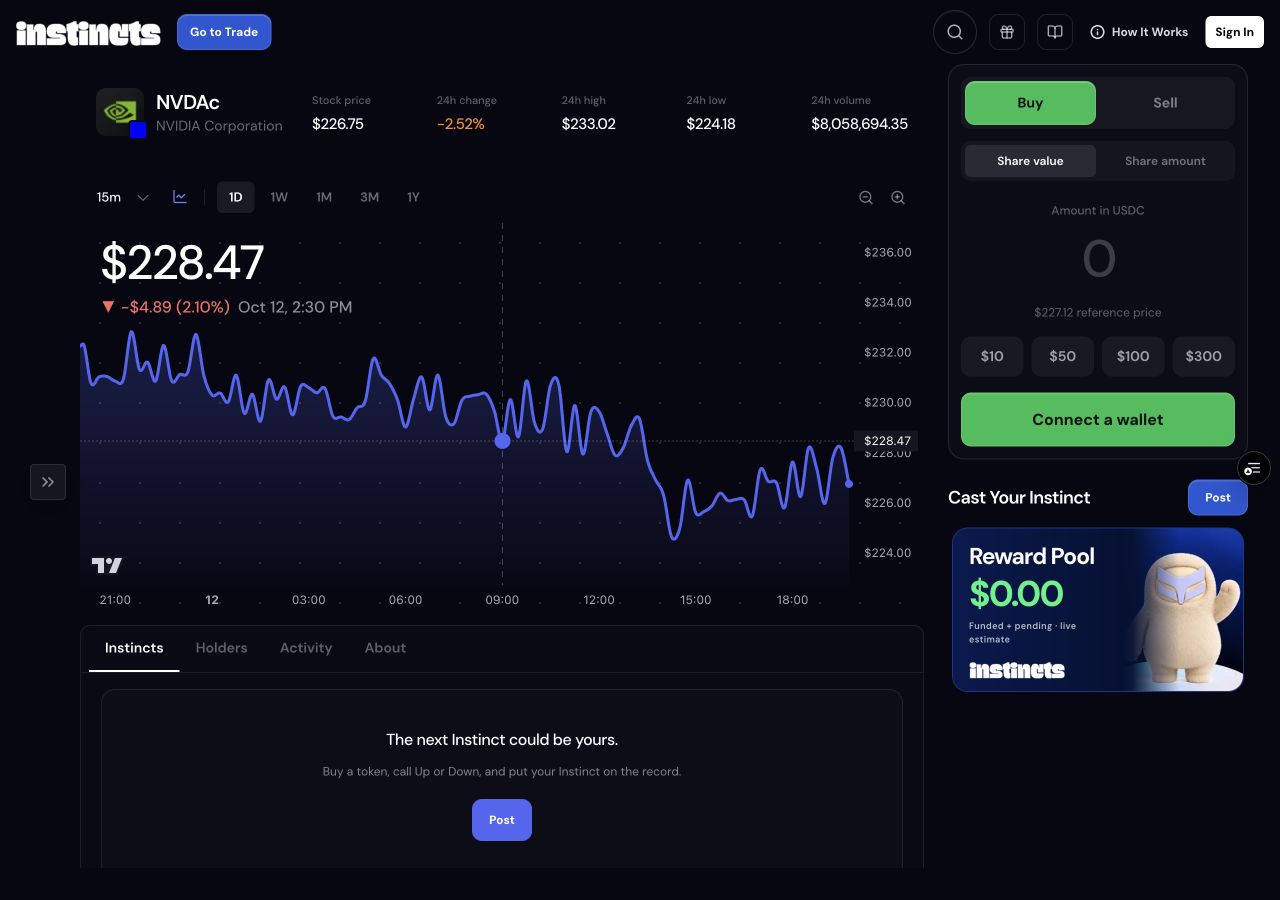
Open Stocks and select an instrument such as NVDAc. These are the app’s listed tokenized-stock assets on Base. Use About to check the instrument and issuer details rather than treating a familiar company name as a complete description of what the token represents.
The stock page shows price, daily change, high, low, volume, and a configurable chart. Its market data comes from the Base trading pool. Pool volume and liquidity are not the company’s exchange-wide equity volume. A chart point, reference price, and final swap quote can all differ.
Complete trading confirmation
Connect the wallet you will trade from. The app checks stock eligibility and, when required, shows Complete trading confirmation. Read the linked risk disclosure and answer the location and eligibility confirmation accurately before continuing.
Trading remains unavailable if eligibility cannot be verified, the required disclosure has not been accepted, or the asset’s pricing and trading checks fail. Connecting a wallet by itself does not bypass these checks. The panel shows the reason when a trade cannot proceed.
Buy by value or share amount
Share value lets you enter how much USDC to spend. Share amount lets you enter a desired quantity when a reference price is available; the app uses that price to estimate the spend for the quote. Read the quoted receive quantity before confirming, since the reference-price conversion is an estimate.
When Pay with ETH is offered, select it to enter an ETH spend amount. The Share amount option is disabled for ETH payment. USDC and ETH balances here are balances on Base. Keep Base ETH available for network fees when your wallet signs the transactions.
Eligible buyers can use Fund from another network to receive the chosen Base payment asset in their trading wallet through Instinct Router. Native gas funding is a separate transfer when needed. Once funding is verified, review the stock purchase again; eligibility, disclosure, the listed instrument, fees, and order checks still apply.
Sell a holding
Choose Sell and enter the share quantity you want to sell. Available holdings and the percentage shortcuts help size the order. The sell flow quotes proceeds in USDC; an ETH payment choice for buying is not an ETH payout setting for selling.
On mobile, Buy or Sell opens the full trade screen with the amount keypad. Desktop uses the same trade logic in the side panel. Review the current price and expected result in the ticket before continuing.
Follow execution through to a fill
The app gets an executable quote and checks its expiry. When wallet execution is required, your selected wallet signs the exact quoted Base calls, including a token approval if needed and then the swap. Where the backend advertises managed execution, the app uses that supported path instead.
The order is tracked after submission. Submitted or confirming does not yet mean filled: wait for the final order result and confirmed quantity. If a quote expires, request a fresh one rather than signing outdated terms. Do not assume an unavailable balance or missing price is zero.